
How to check where media is used
Every media item now includes a 'Usage' tab.
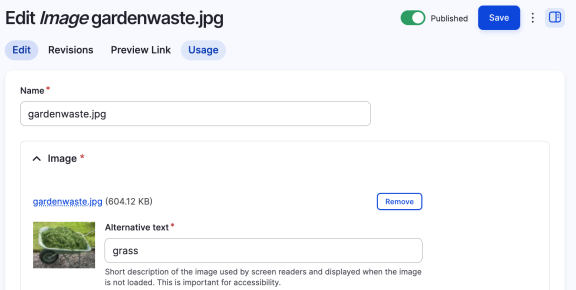
Click it, and you'll see a list of pages where this item is used.
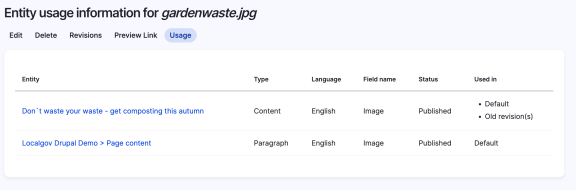
Clicking on any of the page links will take you to that page, allowing you to edit the page and remove the image if neeed.
Not working for you?
This feature is provided by the Entity Usage module which is included with LGD. If it's not appearing for you, ensure your site is up to date. Please post in #group-technical if you're having further issues.